


SketchFlow Tablet
SketchFlow Tablet
Couldn't load pickup availability
Get it between - and -.

SketchFlow Tablet
💯 The Haltrix Guarantee
💯 The Haltrix Guarantee
We’re confident you’ll love Haltrix's performance — and back it up with:
- 30-day satisfaction guarantee — if you’re not completely happy with how the item works, return it for a full refund.
- 12-month manufacturer warranty — covers defects in material or workmanship. Buy with peace of mind.
📝 Description
📝 Description
Turn ideas into digital creations with the SketchFlow Tablet, a compact drawing tablet designed for illustration, sketching, photo editing, digital notes, and creative projects. Its highly sensitive stylus responds naturally to pressure and tilt, giving you greater control over every line and stroke.
With a lightweight design, customizable shortcut keys, and broad device compatibility, the SketchFlow Tablet makes a practical creative companion for beginners, students, artists, and designers.
SPECIFICATIONS:
- Product Type: Digital Drawing Tablet
- Pressure Sensitivity: 16,384 Levels
- Pen Resolution: 5080 LPI
- Report Rate: ≥220 RPS
- Tilt Support: Up to 60°
- Reading Height: 10mm
- Active Area: 16 × 9 cm
- Shortcut Keys: 8
- Connection: USB-C
- Product Size: 18.83 × 15.00 × 0.77 cm
- Weight: Approx. 170g
- Compatibility: Windows, macOS, Android, ChromeOS & Linux
What's Included
- 1 × SketchFlow Tablet
- 1 × Stylus Pen
- 10 × Replacement Pen Nibs
- 1 × USB-C to USB-A Cable
- 1 × Nib Extractor
- 1 × USB to USB-C Adapter
❓ How to Use
❓ How to Use
- Connect the SketchFlow Tablet to your compatible computer or device.
- Install the required tablet driver when using a system that requires it.
- Open your preferred compatible drawing, design, note-taking, or editing software.
- Hold the included stylus naturally and move it across the active drawing area.
- Apply different levels of pressure to control compatible brush strokes and line effects.
- Tilt the stylus when using compatible brushes that support tilt input.
- Customize the eight shortcut keys to frequently used commands for a faster workflow.
- Replace the pen nib using the included nib extractor when the tip becomes worn.


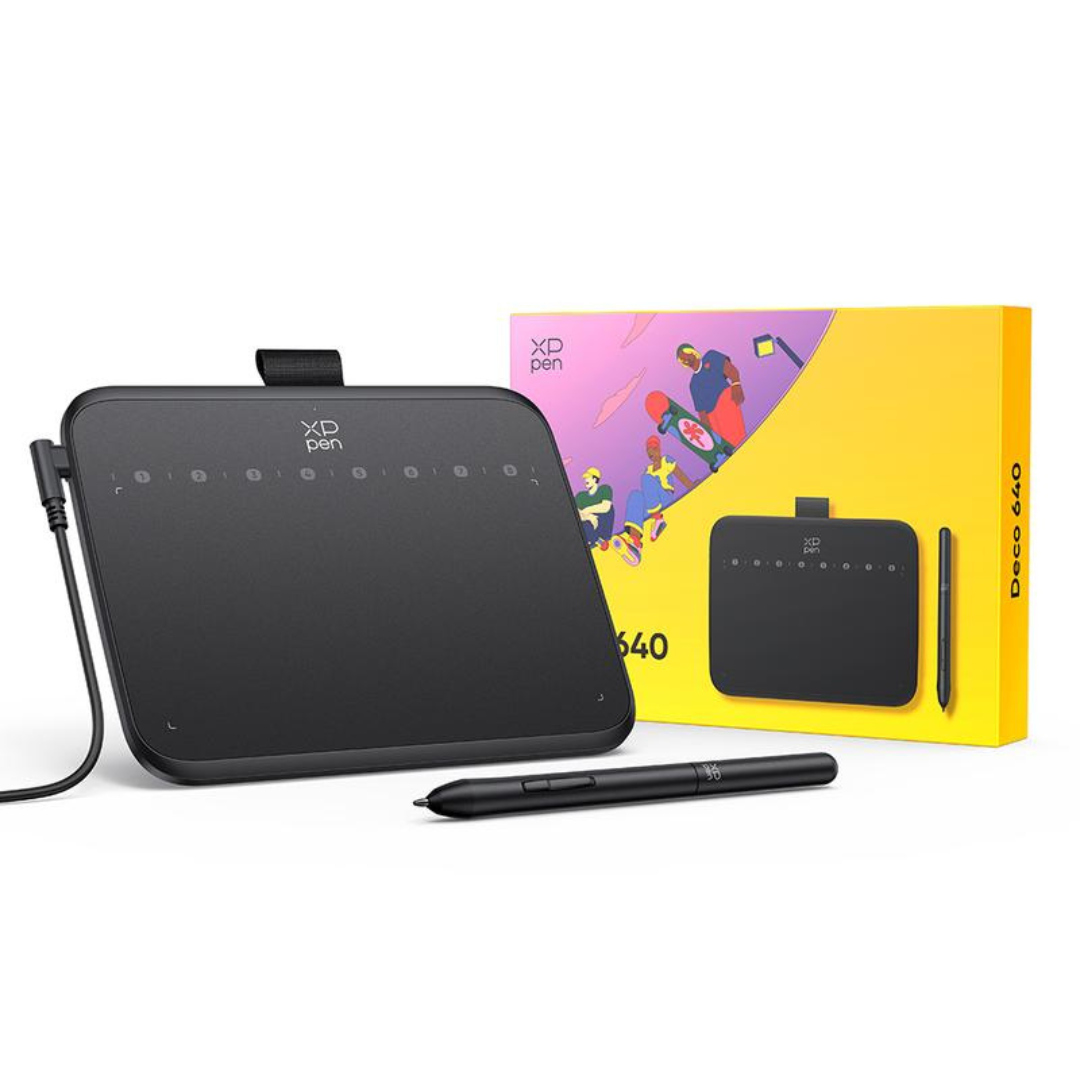
See Why People Love Our SketchFlow Tablet

Put Every Idea Within Reach
The SketchFlow Tablet combines responsive pen control, 16,384 pressure levels, and a spacious drawing area to help turn inspiration into digital creations.

From First Sketch to Final Detail
Draw, shade, edit, write, and refine your ideas with the precise and responsive control of the SketchFlow Tablet.

Creativity Feels More Natural
98%
appreciated the responsive pressure-sensitive drawing experience.
95%
enjoyed having customizable shortcuts within easy reach.
90%
found the lightweight design convenient for everyday creative work.
Results based on 90-day consumer usage.
Create Wherever Inspiration Finds You
Whether you're learning digital art, sketching your next idea, editing photos, taking handwritten notes, or refining detailed illustrations, the SketchFlow Tablet gives you a responsive digital canvas without adding bulky equipment to your workspace. Its pressure-sensitive stylus, tilt support, customizable shortcuts, and lightweight construction help keep your attention where it belongs—on creating.
| Haltrix | Others | |
|---|---|---|
| 16,384 Pressure Levels | ||
| 60° Tilt Support | ||
| 5080 LPI Pen Resolution | ||
| ≥220 RPS Response Rate | ||
| 8 Customizable Shortcut Keys |
Testimonials
FAQ
Does the SketchFlow Tablet have a built-in screen?
Does the SketchFlow Tablet have a built-in screen?
No. The SketchFlow Tablet is a pen tablet that connects to a compatible computer or mobile device, where your artwork appears on the connected screen.
How many pressure levels does the stylus support?
How many pressure levels does the stylus support?
The included stylus supports 16,384 levels of pressure sensitivity for detailed control in compatible creative software.
Does the stylus support tilt?
Does the stylus support tilt?
Yes. It supports up to 60° of tilt recognition for compatible brushes and applications.
What devices can I use it with?
What devices can I use it with?
The SketchFlow Tablet supports compatible Windows, macOS, Android, ChromeOS, and Linux devices.
Can the shortcut keys be customized?
Can the shortcut keys be customized?
Yes. The eight shortcut keys can be assigned to frequently used functions when supported by the installed tablet software.
How long does delivery take?
How long does delivery take?
Standard delivery typically takes 10–18 business days after order processing. Delivery times may vary depending on your location, carrier operations, customs procedures, and other factors beyond our control.
What if my order arrives damaged or incomplete?
What if my order arrives damaged or incomplete?
Please contact our customer service team immediately if your order arrives damaged or incomplete. We will provide a replacement or work to resolve the issue as quickly as possible.